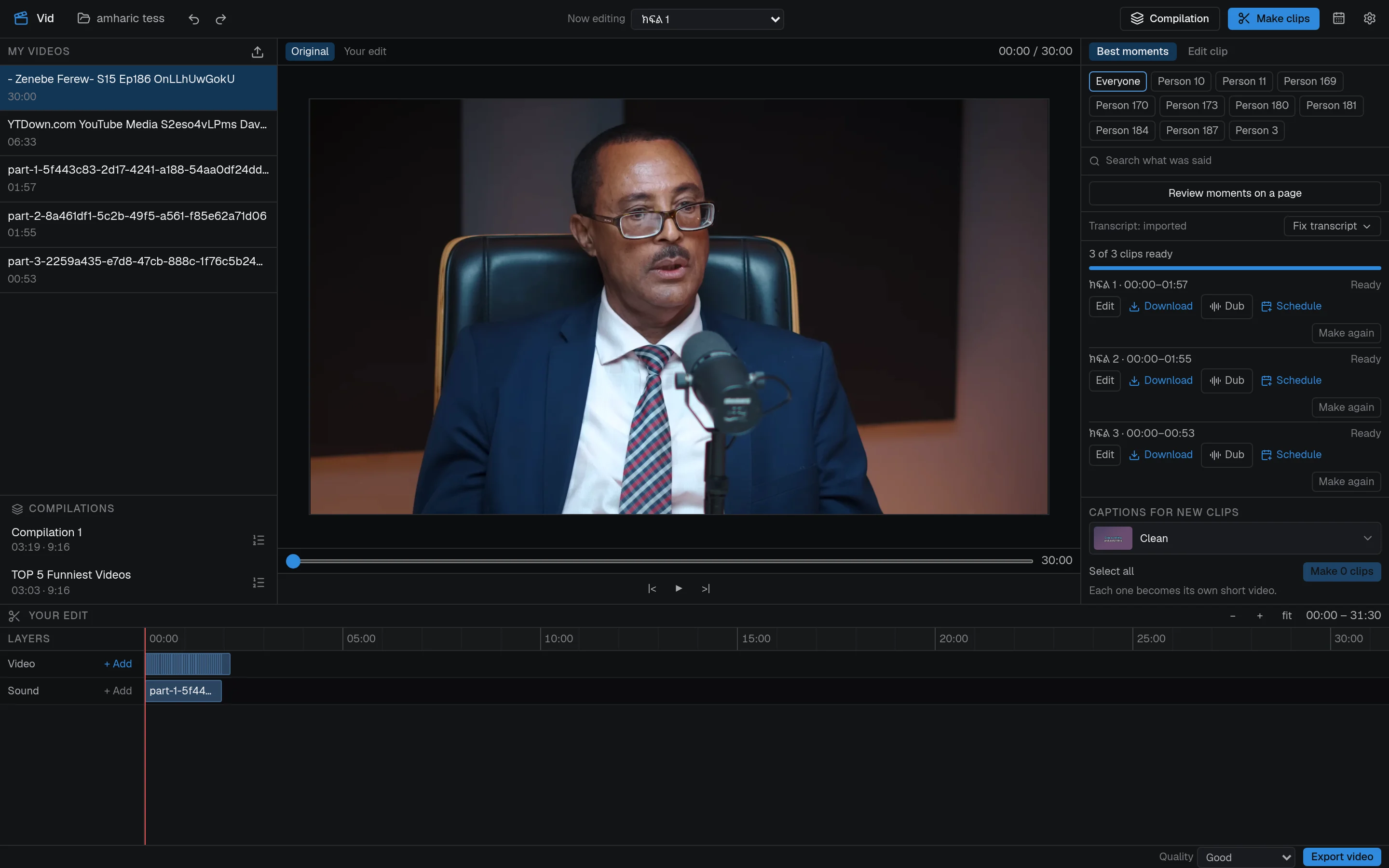
One long video.
A week of  clips.
Vid finds the moments worth posting in your long videos, captions them, keeps the speaker in frame and dubs them into Amharic or English. All on your own computer.
Windows · macOS · Linux

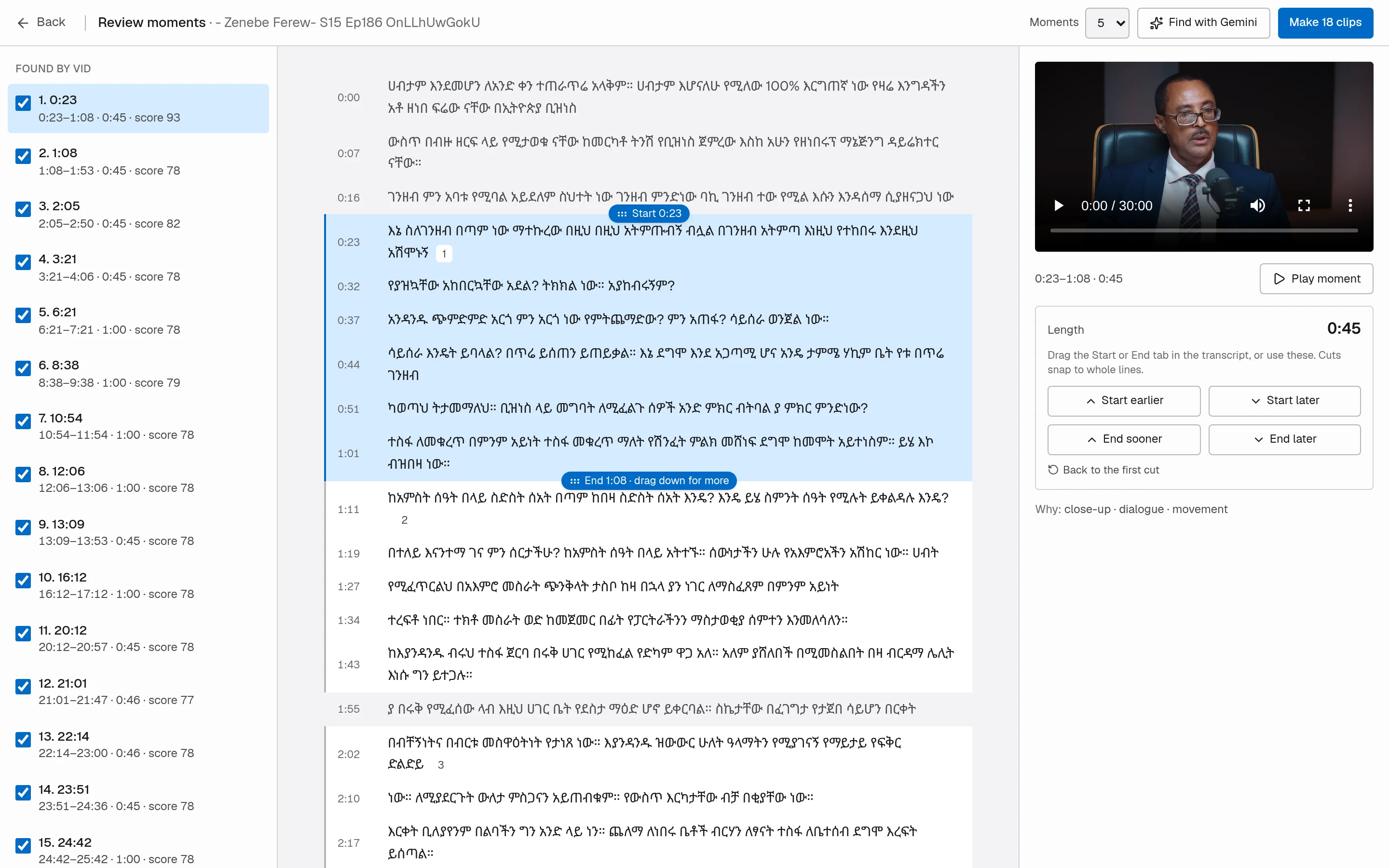
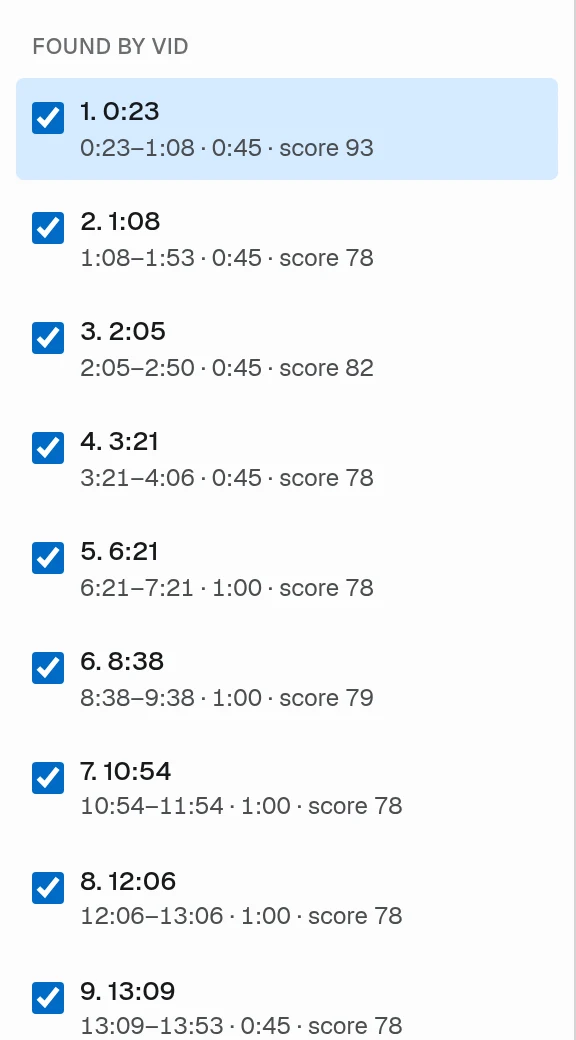
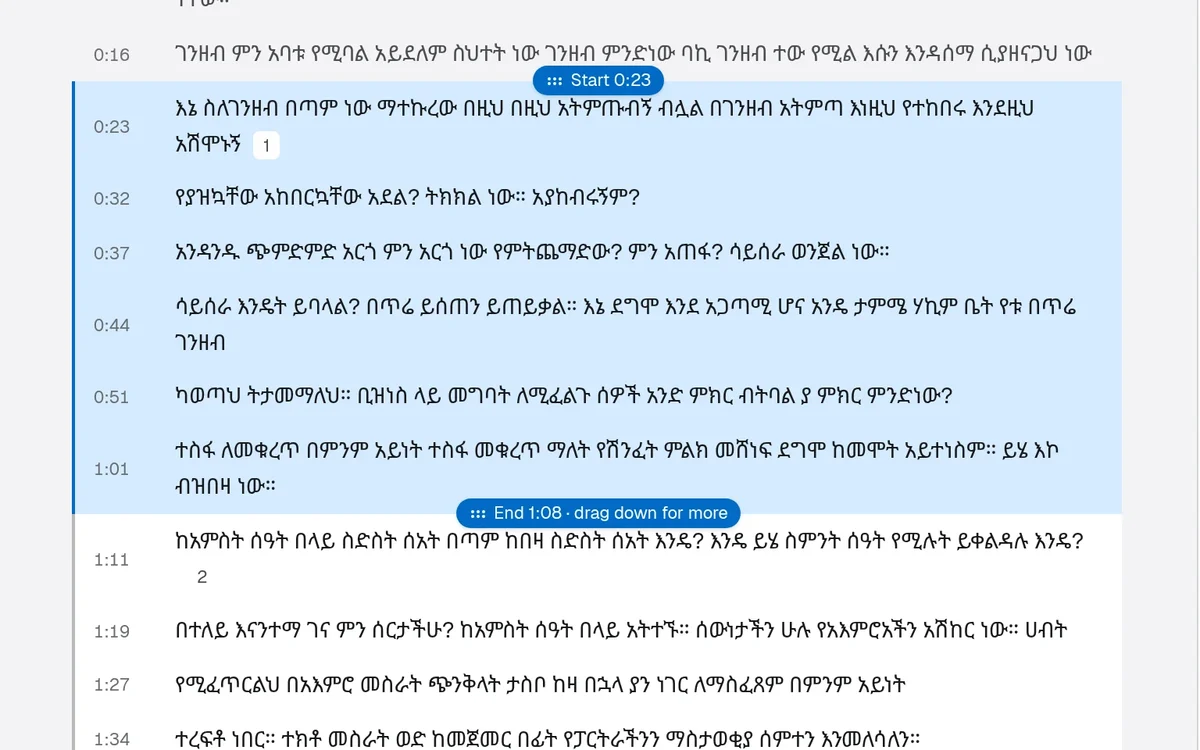
A 30-minute Amharic interview. Vid found 18 moments, scored them, and lets you drag each one’s start and end in the transcript.
Clips shaped for every place
your audience already watches.
- TikTokPost or schedule
 YouTube ShortsPost or schedule
 Instagram ReelsPost or schedule
 TelegramYour channel, your bot
Why Vid
Your best moments are buried in hours of footage. Finding them by hand takes a whole day. Vid gives you the day back.

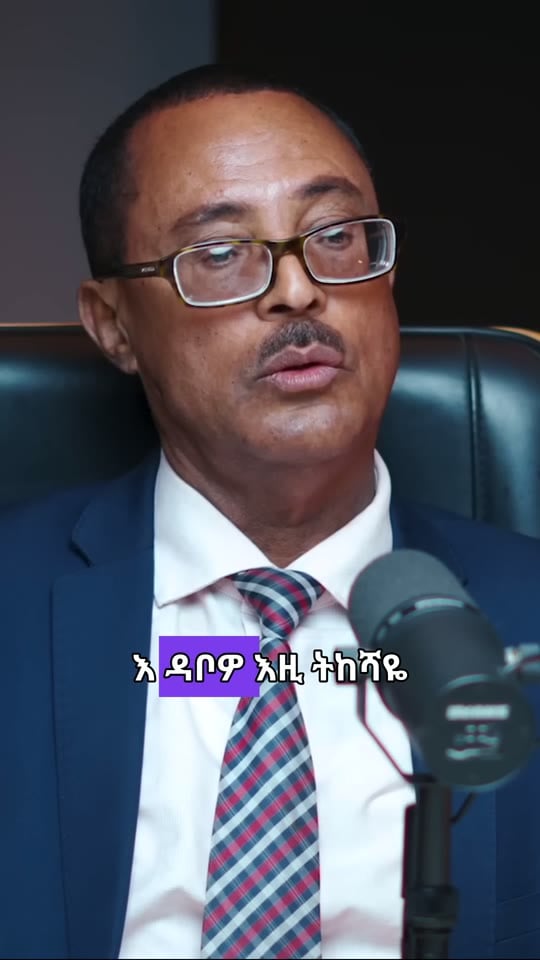
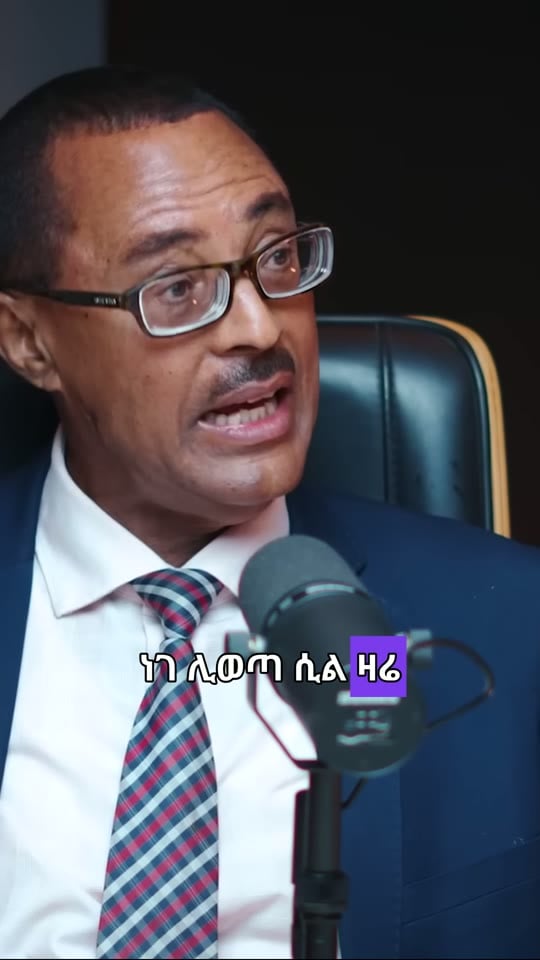
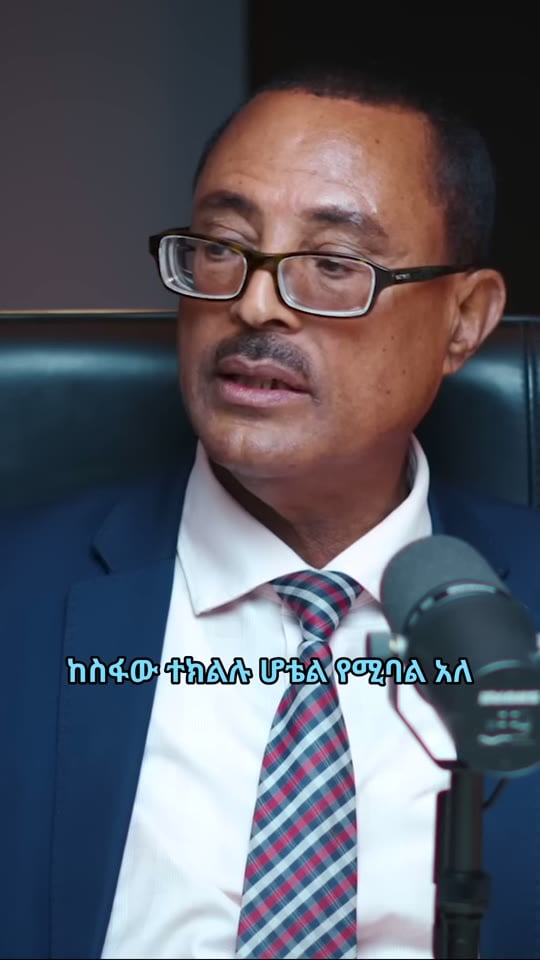
Real clips Vid cut and captioned from one 30-minute Amharic interview
0
uploads needed to edit a video
11
caption styles, timed word by word
2 min
longest smart clip, ending on a full sentence
5
shapes: 9:16, 3:4, 4:5, 1:1 and 16:9
Best moments
Find the parts people will actually watch
Every moment, scored. You pick, or let AI pick.
Vid finds moments on its own and gives each a score. Add your own Google AI key and Gemini reads the transcript for clips up to two minutes long that start where the setup starts.
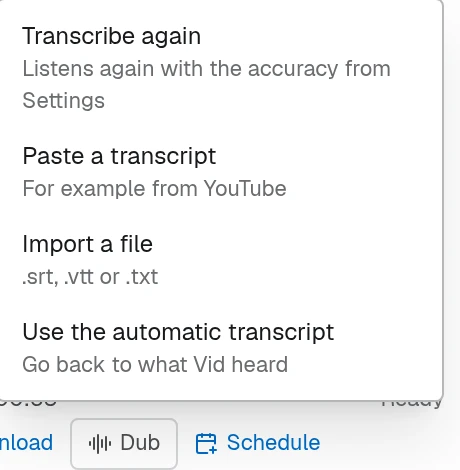
Fix it in the words. The video follows.
Correct a line once and every new clip, caption and recap uses the fix. Already have subtitles? Import an .srt, .vtt or .txt file, or paste a transcript copied from YouTube.
Series and compilations
Get a whole series out of one recording
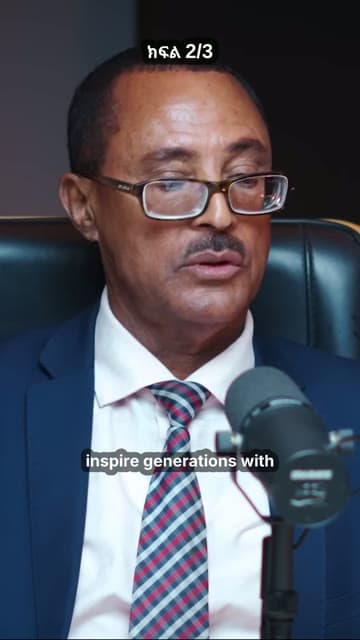

Series
ክፍል 1, ክፍል 2, ክፍል 3
Split a long video into numbered parts that cut at the end of a sentence, each with a part label and an end card.
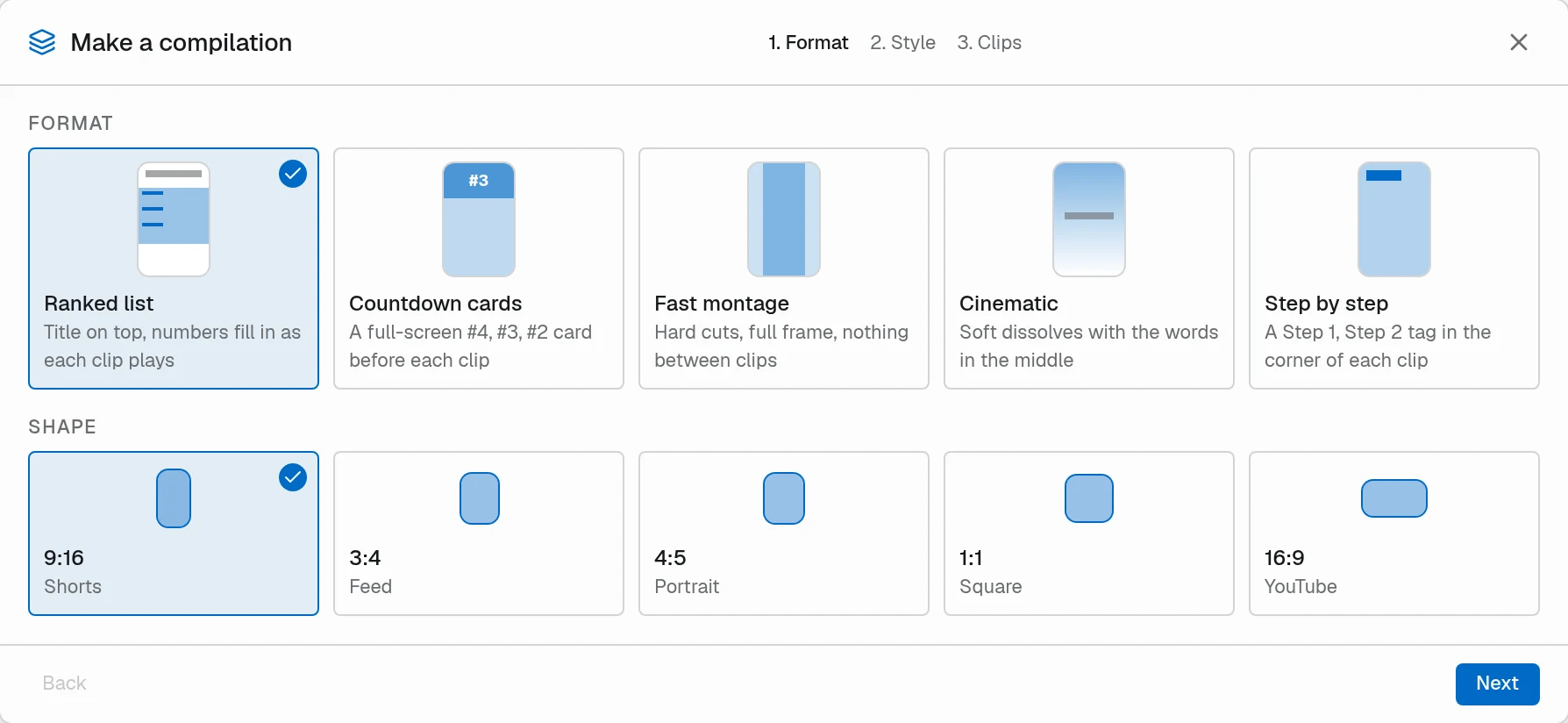
Compilations
Top 5, countdown or montage
Rank your favourite moments into one video: a ranked list, countdown cards, a fast montage, a cinematic cut or step by step.
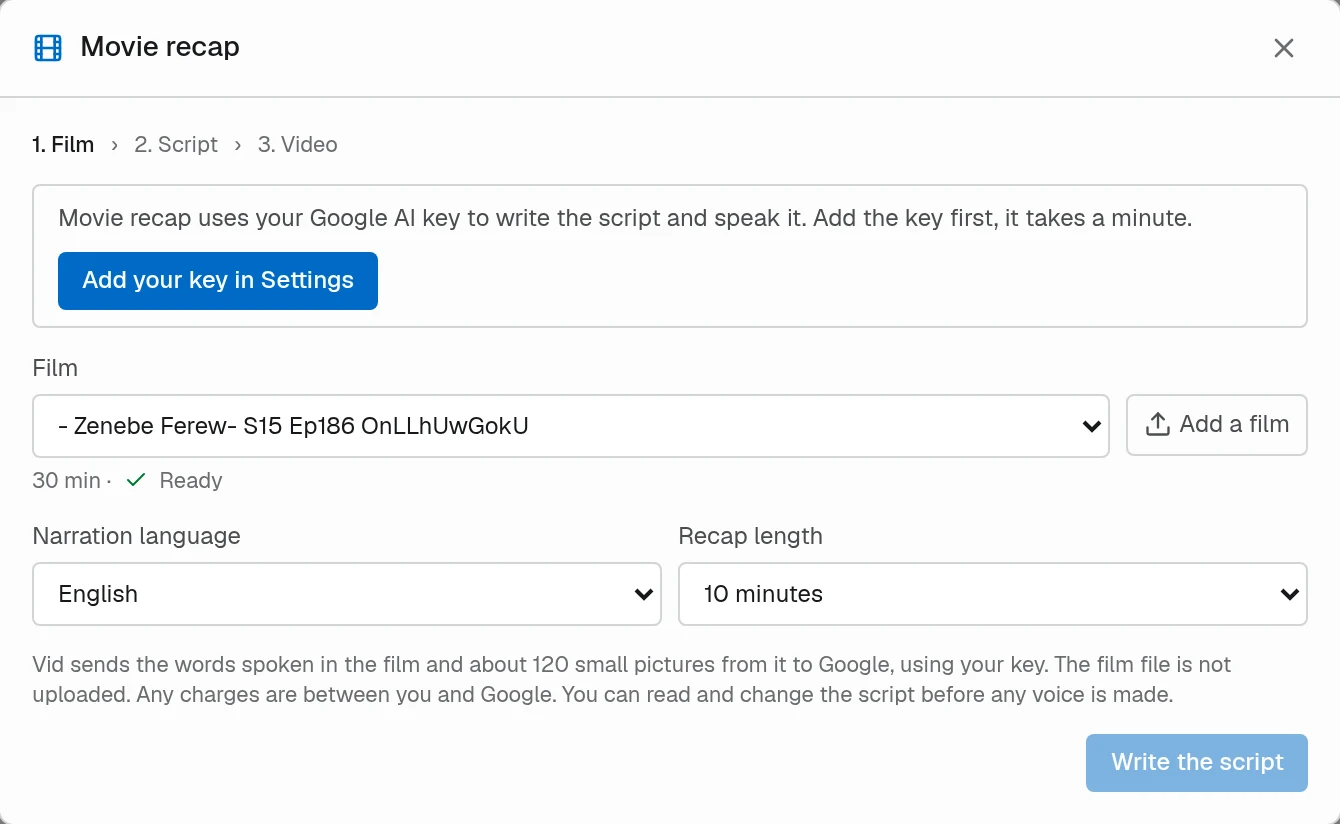
Movie recap
Retold, with a voice
Pick a film, a narration language and a length. Vid writes the script with your Google AI key, lets you edit it, then voices it over fast cuts.
Languages
Speaks Amharic. Not as an afterthought.
Hear it. Real dubs, made by Vid.
Press play and switch between the original and the dub. Both were made in Vid, with voices that run offline.
Amharic interview → English
Amharic captions stay burned in. The English voice is one of Vid’s offline voices.
English podcast → Amharic
Voiced with Vid’s offline Amharic voice, with the original kept quietly underneath.
Dub any clip in two clicks. Offline and free.
Pick a language and a voice, keep the original quietly underneath if you like, and Vid translates, voices, fits the timing and mixes. Amharic and four English voices run offline; translating uses your Google AI key.

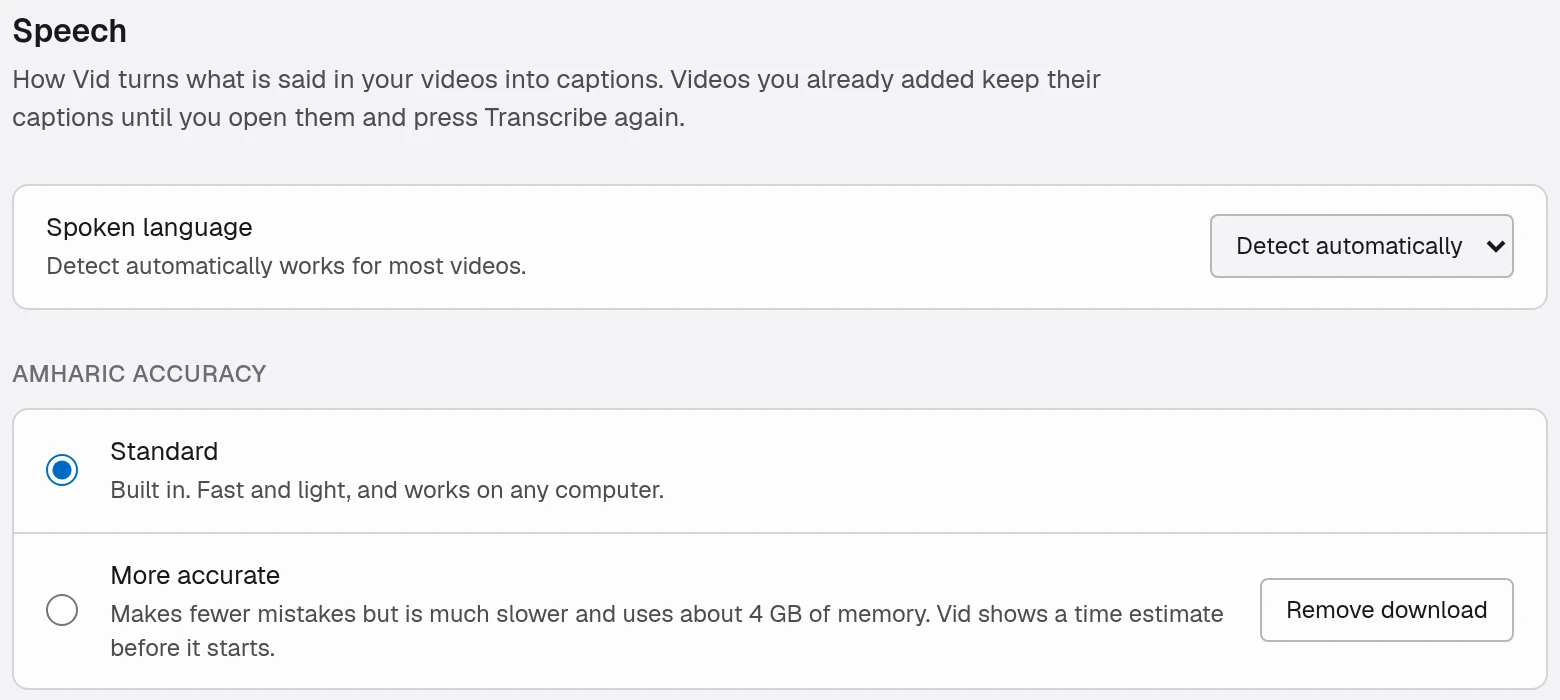
Captions in Ethiopic script. Your choice of accuracy.
A speech model for Amharic ships with the app. Want fewer mistakes? Download the more accurate one, and Vid shows a time estimate before it starts.
Keeps the speaker in frame
When a wide shot becomes a tall one, the frame follows whoever is talking.
11 caption styles
Pop, Impact, Neon, Box and more, each timed word by word.
A real editor underneath
Timeline, tracks, text, fades and speed when you want full control.
Full-quality exports
Rendered with FFmpeg on your machine, from the original footage.
Scheduling
Plan the week. Vid posts it.

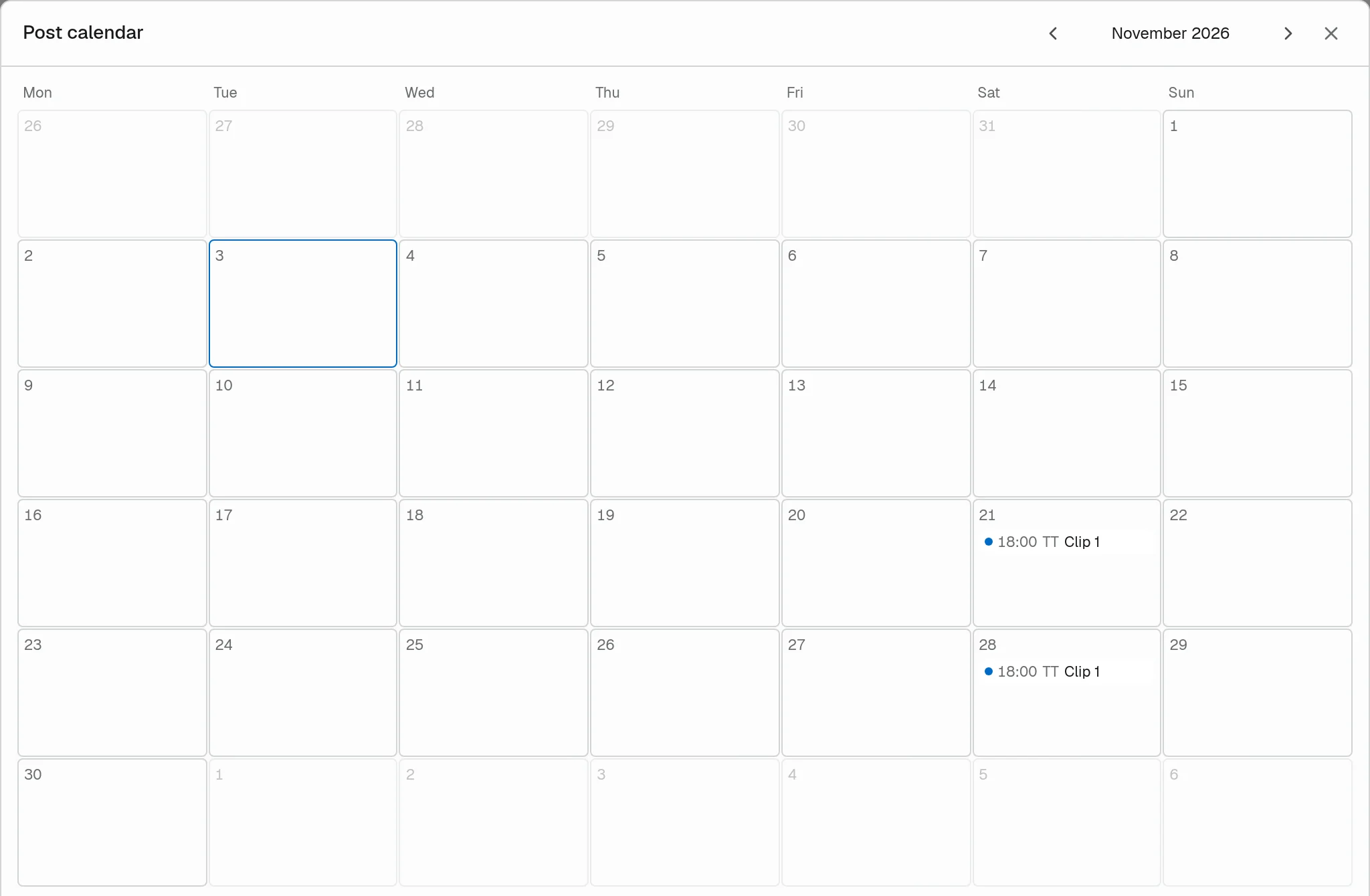
A calendar for your clips
Every scheduled post by day, across all your channels.
Telegram, your way
Connect your own bot and post to the channels you run.
Social accounts
Connect TikTok, YouTube and Instagram once, then post from Vid.
How it works
From recording to posted in three steps
No upload queue and no waiting on someone else's servers. Vid does the heavy work on your own machine.
 01
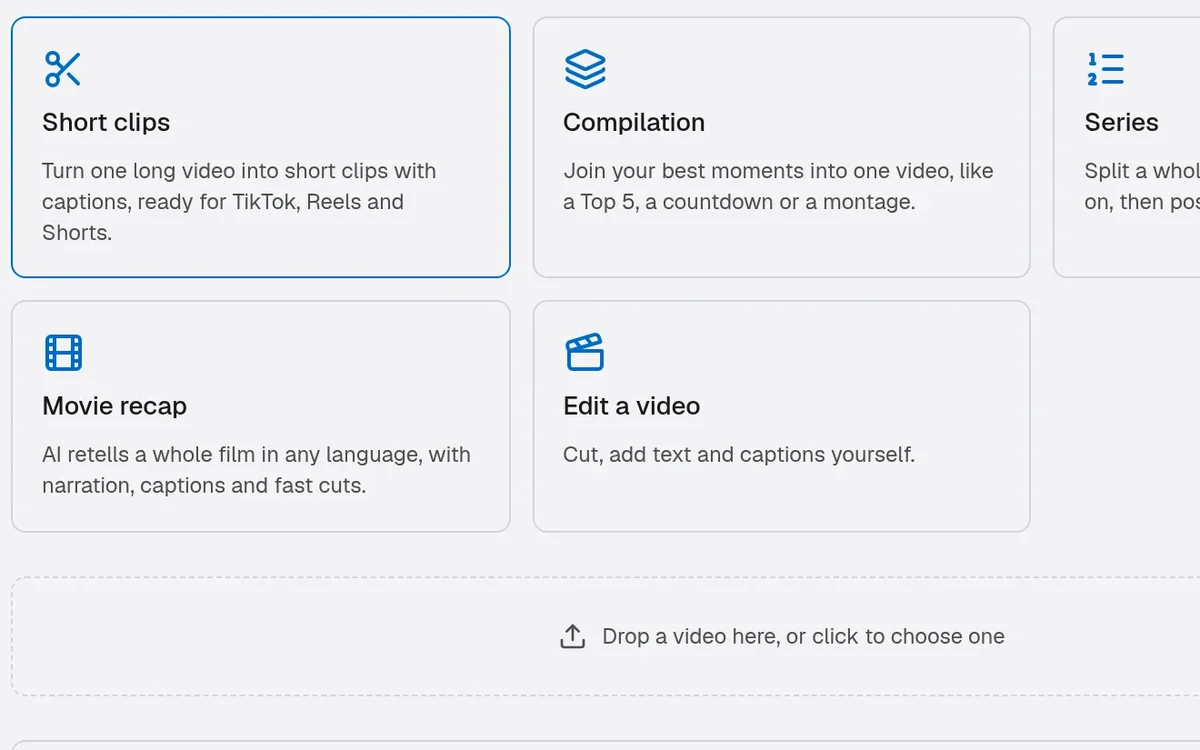
Add a video
Drop in a podcast, talk, lesson or film. It stays on your computer; Vid works from the file where it is.
 02
Review the moments
Read the picks in the transcript, stretch or trim each one, and choose a caption style and shape.
 03
Export, dub or schedule
Render full-quality clips, dub them if you like, and post them now or put them on the calendar.
The app
Everything you need, nothing you have to upload

Works offline
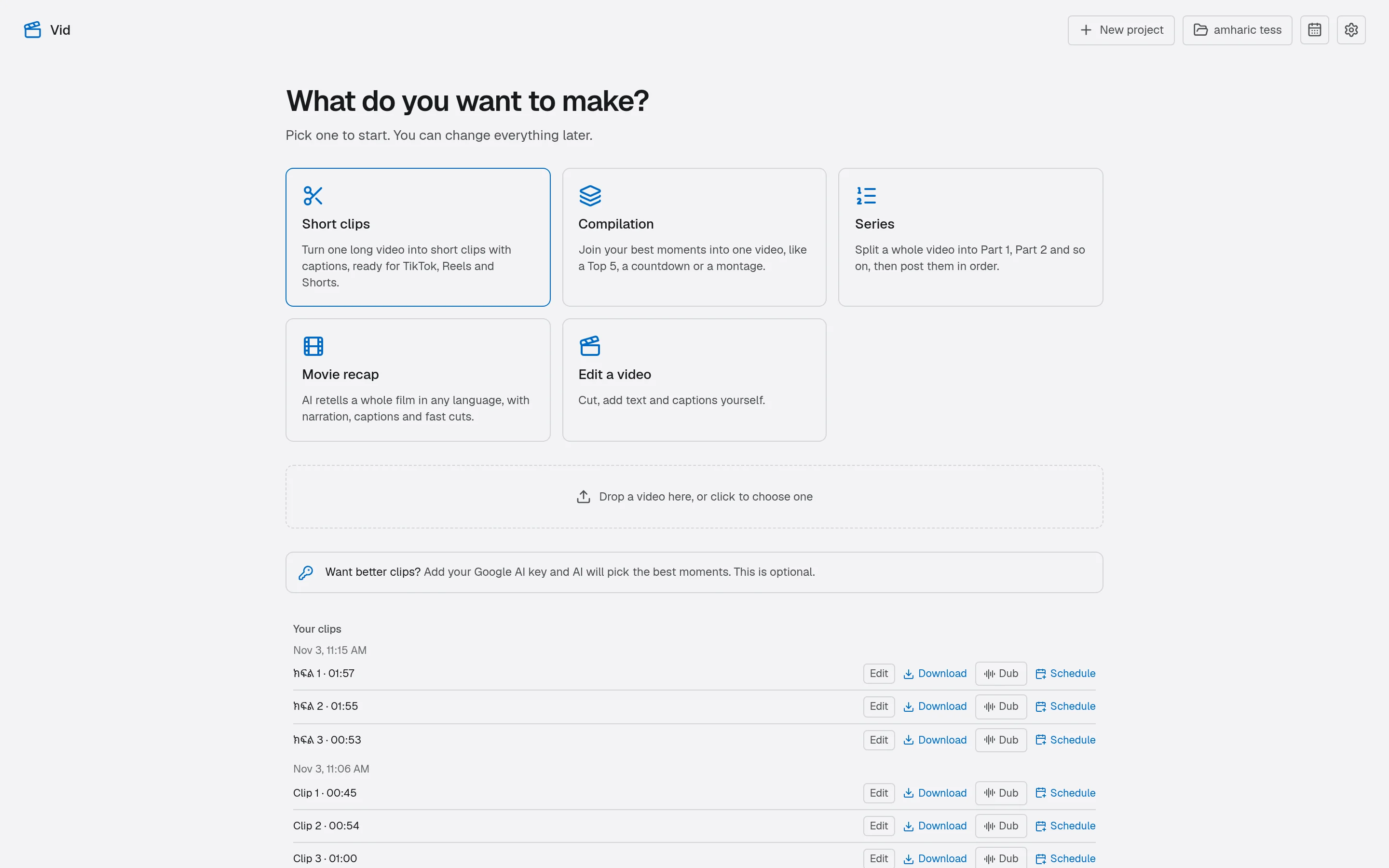
Transcription, captions, reframing, the offline voices and exports all run without internet. Only AI picks, translation, recaps and posting need a connection.
Your footage stays yours
Videos are never uploaded to edit them. Vid reads them from your disk and keeps your work in your project.
Bring your own AI key
Use your own Google AI key for picks, translation and recaps. Leave it out and everything else keeps working.
Built for real computers
Vid estimates how long a video will take on your machine before it starts, and resumes if you close it.
Projects that remember
Every clip, edit and transcript fix is saved in the project, so you can come back and make more.
Get started
Your next 30 clips are already recorded
Vid is in private early access. Tell us what you make and we will send you a key.
FAQ
Questions, answered
Anything else? Ask when you request access and we will get back to you.
What is Vid?
Vid is a desktop video editor that turns long videos into short clips. It finds the best moments, captions them, reframes them for phones, dubs them and posts them on a schedule.
How do I get access?
Vid is in private early access. Request access, and when your spot opens we send you a licence key. Download the app, paste the key, and you are in.
Which computers does it run on?
Windows, macOS on Apple Silicon, and Linux. One licence covers two computers, and you can move it to a new one from inside the app.
Do my videos get uploaded?
No. Vid edits and renders on your computer. If you use AI picks, translation or recaps, the words (and for recaps, small still frames) are sent to Google with your own key. Posting sends the finished clip to the platform you chose.
Does it work without internet?
Yes. Transcription, captions, reframing, the offline voices and exports all work offline. Vid checks your licence online at least once every 14 days.
Which languages does it understand?
Amharic and English are first-class: transcription, captions in their own script and offline voices for dubbing. Many other languages can be transcribed, and translated with your Google AI key.
Do I need a Google AI key?
Only for AI moment picks, movie recaps and translation. Everything else works without it.
Post every day without editing every day.
Record once. Vid finds the moments, captions and reframes them, and puts them on your calendar.